Active nowor “Active 12 m ago”
Active Status
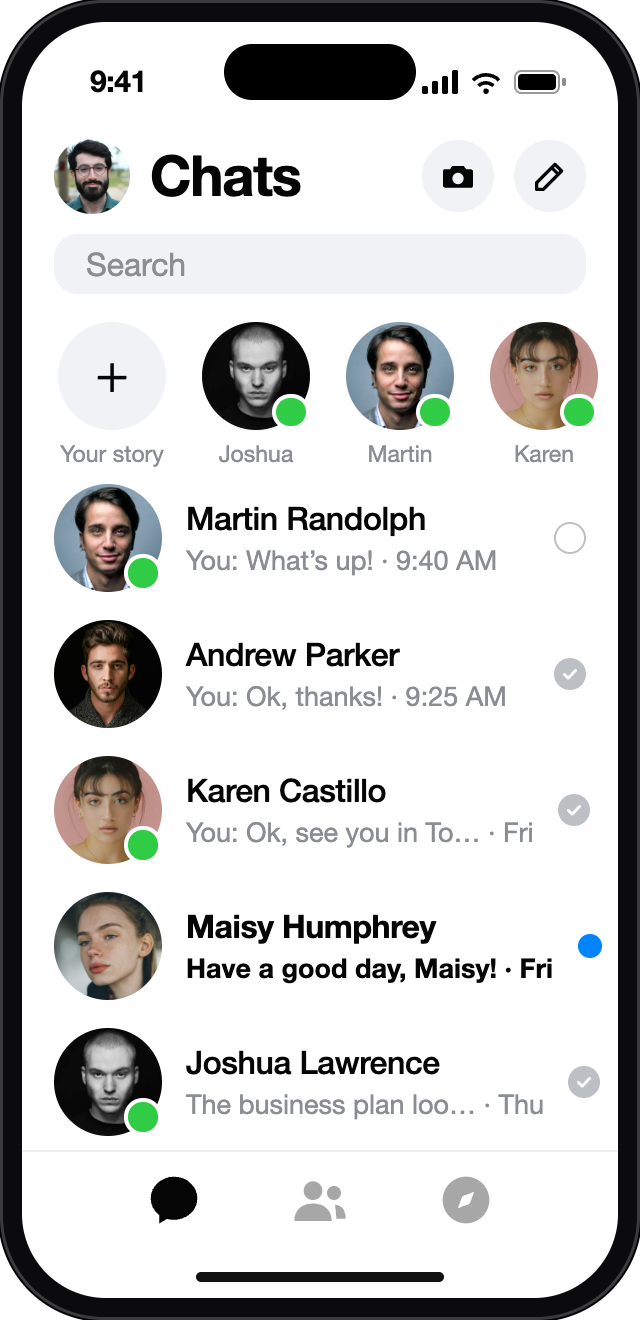
Shows that someone is active, recently active or in the same chat as you. Status can lag behind reality.
- Seen by
- Friends and contacts
- Exactness
- App activity only
- Owner can
- Turn it off
A Messenger tracker cannot follow a person from a username or a phone number. What Messenger itself shows is a short list of signals — and each one has an owner who can switch it off. Pick the signal you are looking at.
The dot means the person is active on Messenger or Facebook; a timestamp means recently active. It does not show which chat is open, where they are or who they talk to.
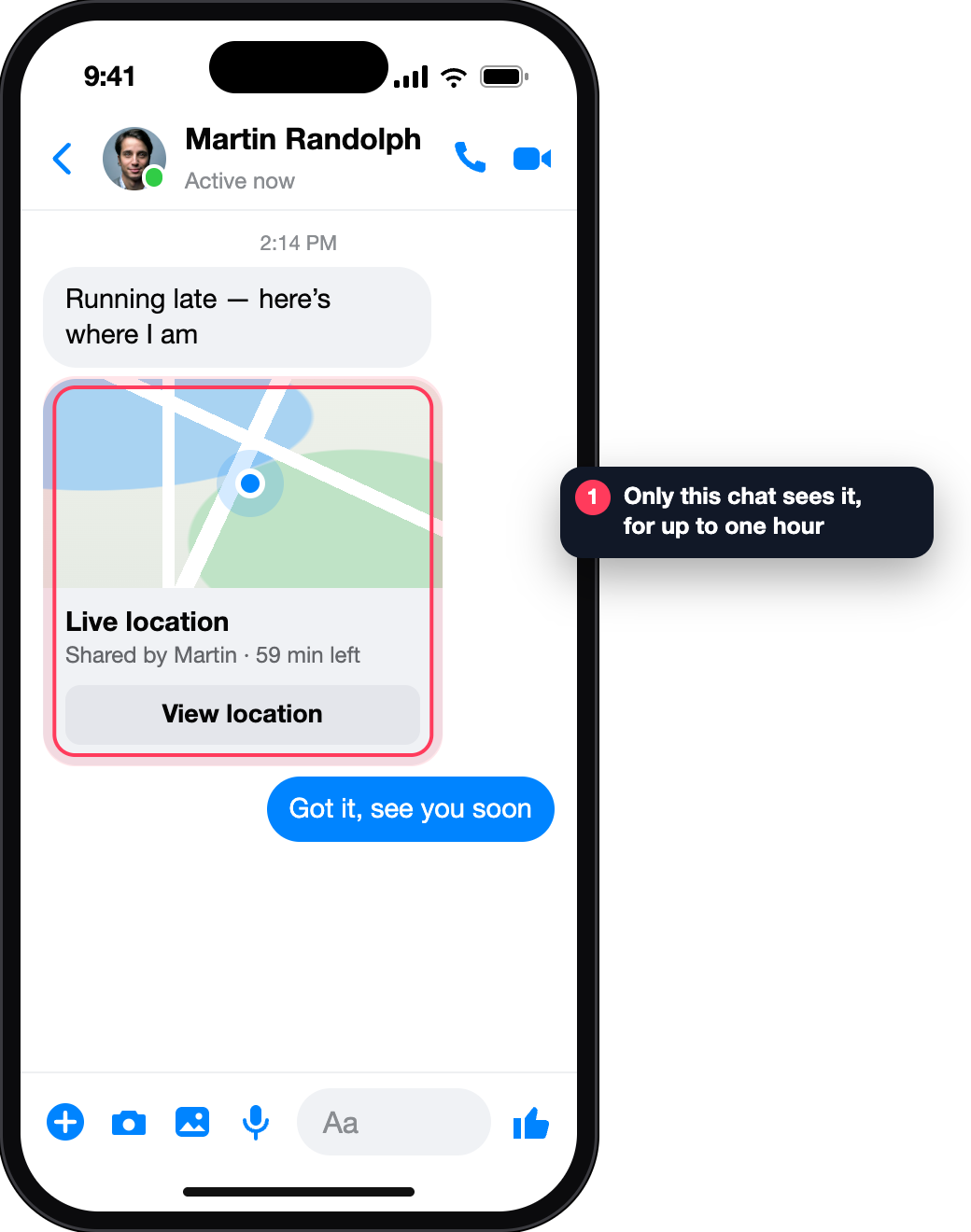
Someone in the chat tapped “Start sharing live location”. Only people in that chat see it, and it switches itself off after one hour.
Sent, Delivered and Seen describe the journey of that message. “Seen” says the chat was opened; it does not say when a reply will come or what else the person did.
This list lives in your Accounts Centre and shows sessions of your account: date, time, device type and an approximate location.
Your friends and contacts will see when you’re active or recently active. When this is off, you won’t see when they are active either.
Turning this off in Messenger hides you everywhere you use Messenger. Facebook has its own switch on each device.
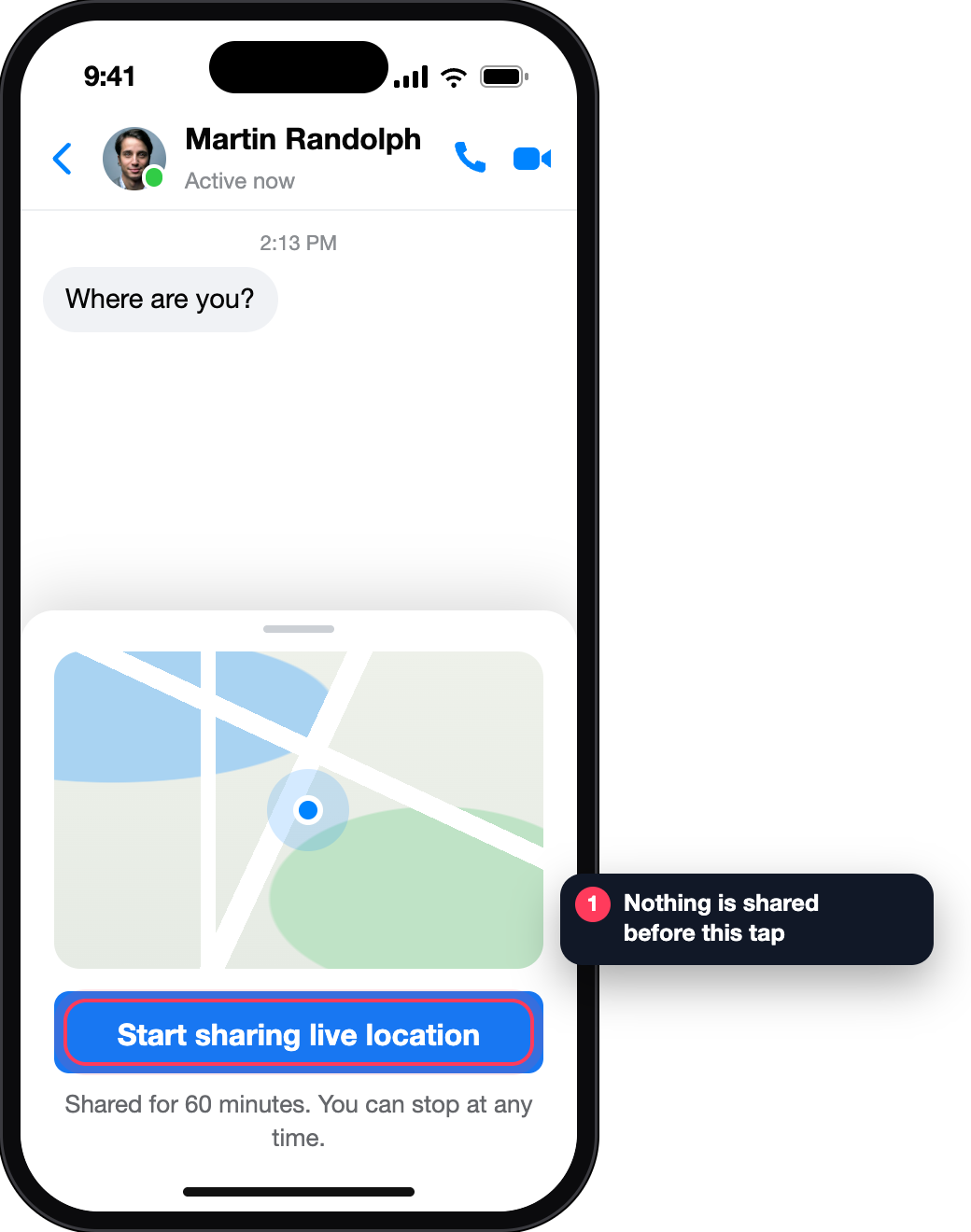
Shared for 60 minutes. You can stop at any time.
Visible to people in this chat · 41 min left
Screens reconstructed for explanation · fictional data · not affiliated with Meta
Everything that can honestly be called “tracking” in Messenger is on this page. Each signal is visible to a specific circle and ends when its owner says so.
Shows that someone is active, recently active or in the same chat as you. Status can lag behind reality.
A moving point that a chat member chose to share with that chat.
A place on the map sent as a message. It is not evidence of where the sender is.
The state of one message in one conversation.
A call is recorded in your call history and in the conversation with that person.
Date, device type and rough location of every place your own account is signed in.
A username, profile link or phone number is an identifier. It tells a site who you mean; it does not give that site a seat in the conversation.
The signals above live in three places: the apps of the people in the chat, the account of the owner, and Meta’s own systems. In end-to-end encrypted chats the messages are readable only on the participants’ devices. A website that is none of those three has no source for a live feed.
So when a tracker shows a moving map or a message counter a few seconds after you type a name, ask one question: where did that data come from? If the page cannot say, the picture was drawn, not fetched.
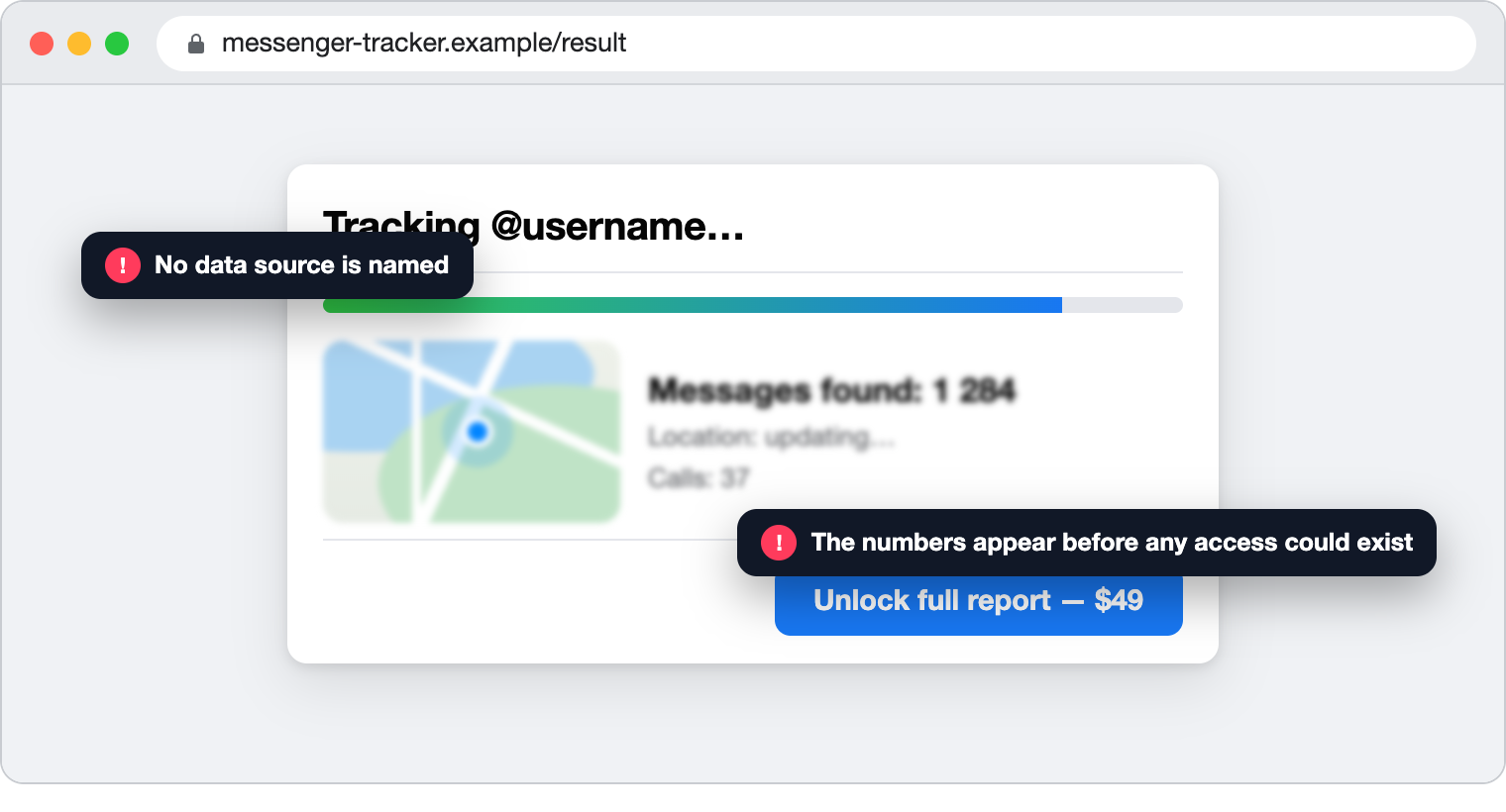
Tick what the offer in front of you actually states in writing. Your ticks stay in this browser; nothing is sent.
Live location is a point a person sends to a chat on purpose; it ends after an hour. Login location is a rough city next to a session in your own account settings.
Neither can be looked up for somebody else’s profile. A tracker that offers “Facebook location by profile link” is describing something Messenger does not expose.
They share one property: the other person takes part.
In the chat the person taps Options → Start sharing live location. You both see the point for up to one hour. It is the only moving location Messenger offers.
Meta offers supervision on Messenger for parents and teens, set up in Family Centre. It is not available in all regions; what a parent can see — such as time spent — is listed in Meta’s own guide.
Android and iPhone both have a built-in device finder tied to your own account. Messenger is not the tool for this.
Five switches, all in your own apps. Ticks are saved in this browser only.
You can see what they share with you: Active Status, a live location they start, receipts in your chat, calls you were part of. There is no lookup of another person’s activity or position by name, link or number.
No. Active Status says the app is in use. It does not name the chat, and Messenger has no feature that lists another person’s conversations.
No. The person may be anywhere in Messenger or Facebook, and the status can update with a delay. “Seen” under your message is the only sign that your chat was opened.
It turns off automatically after one hour, and the sender can stop it sooner.
The call entry shows that a call happened. It carries no map; in a two-person call the other device does receive your IP address. How call history works.
Check the session list in Accounts Centre for devices that are not yours, stop any live location you forgot, and review Active Status. Those are the only routes that involve Messenger itself.