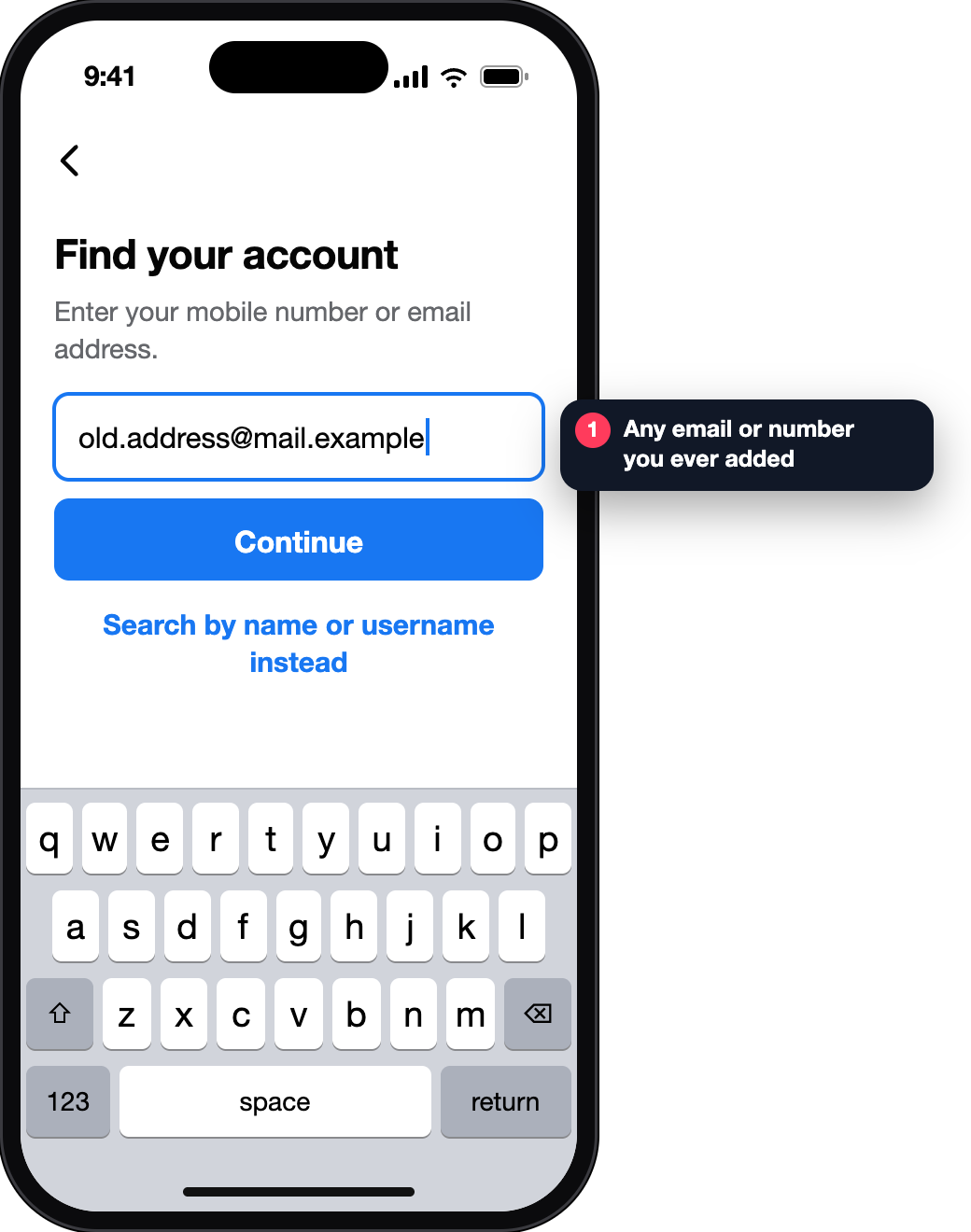
Open the account finder
On a device that has logged in before, type facebook.com/login/identify into your usual browser.
✓ A search box, not a login error
Messenger signs in with your Facebook account, so recovery runs through Facebook’s own tools — and which tool works depends on what you still have. Pick your case and you get the route for it.
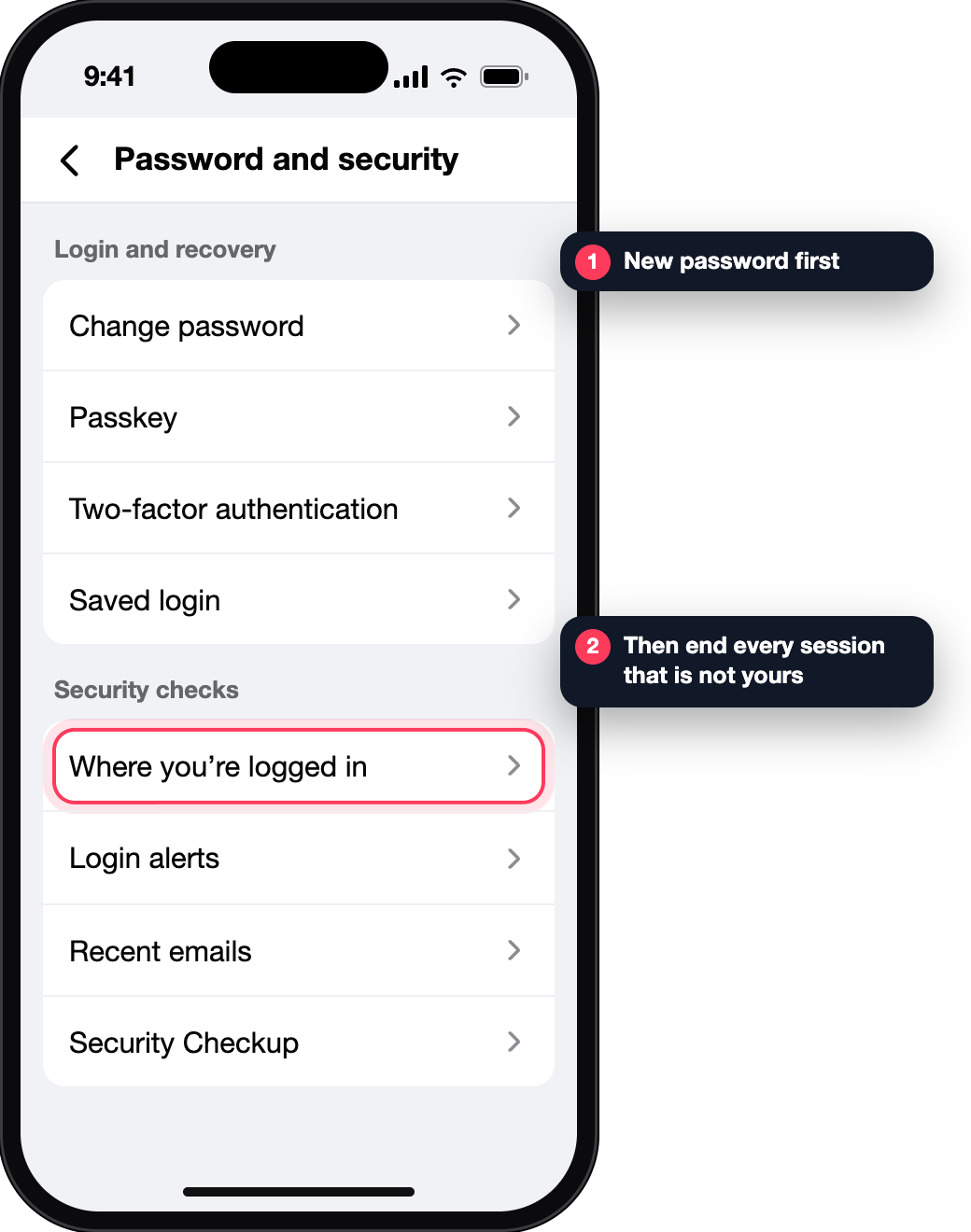
A logged-in device is the strongest thing you have. Do not log it out.
If codes still reach you, a password reset is the whole job.
Facebook treats a familiar phone or browser as evidence that it is you.
When details were changed by someone else, the ordinary reset can send codes to them.
We sent a code to o••••••••s@@mail.example. Check your spam folder if it is not in your inbox.
Enter your mobile number or email address.
These accounts match what you entered.
How do you want to receive the code to reset your password?
Screens reconstructed for explanation · fictional data · not affiliated with Meta
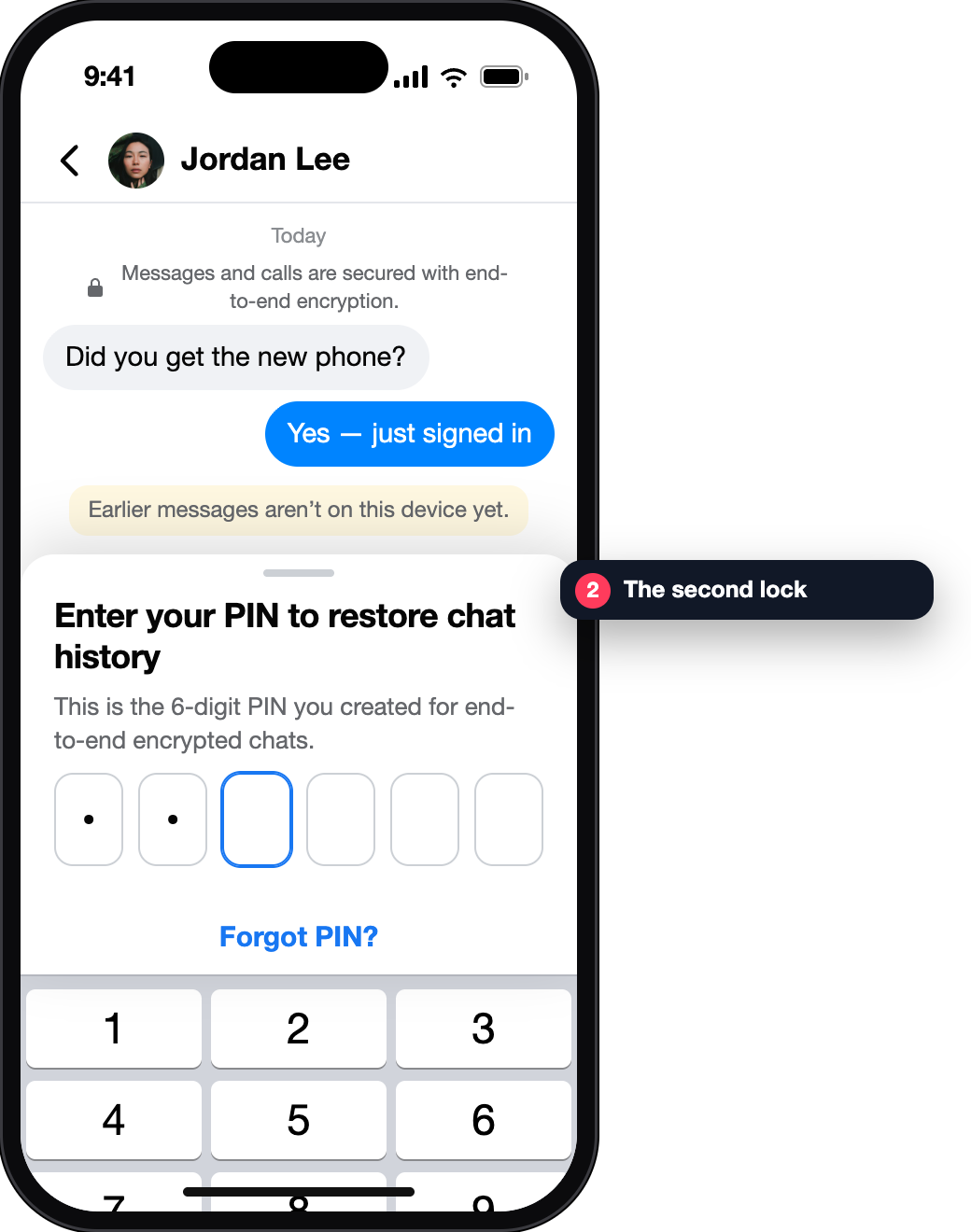
A new password opens the account. It does not open end-to-end encrypted chat history, which is protected by a key that lives on your devices or behind a PIN you created.
That is why people recover the account and still see “chat history is missing”. Nothing went wrong with recovery; the second lock is simply still closed.
Meta’s Help Centre states that after December 2026 the key saved in Google Drive will no longer restore chat history on a new device; Messenger asks you to create a PIN instead.
Why Messenger asks for a PIN · Forgot the PIN · Messages missing on a new phone
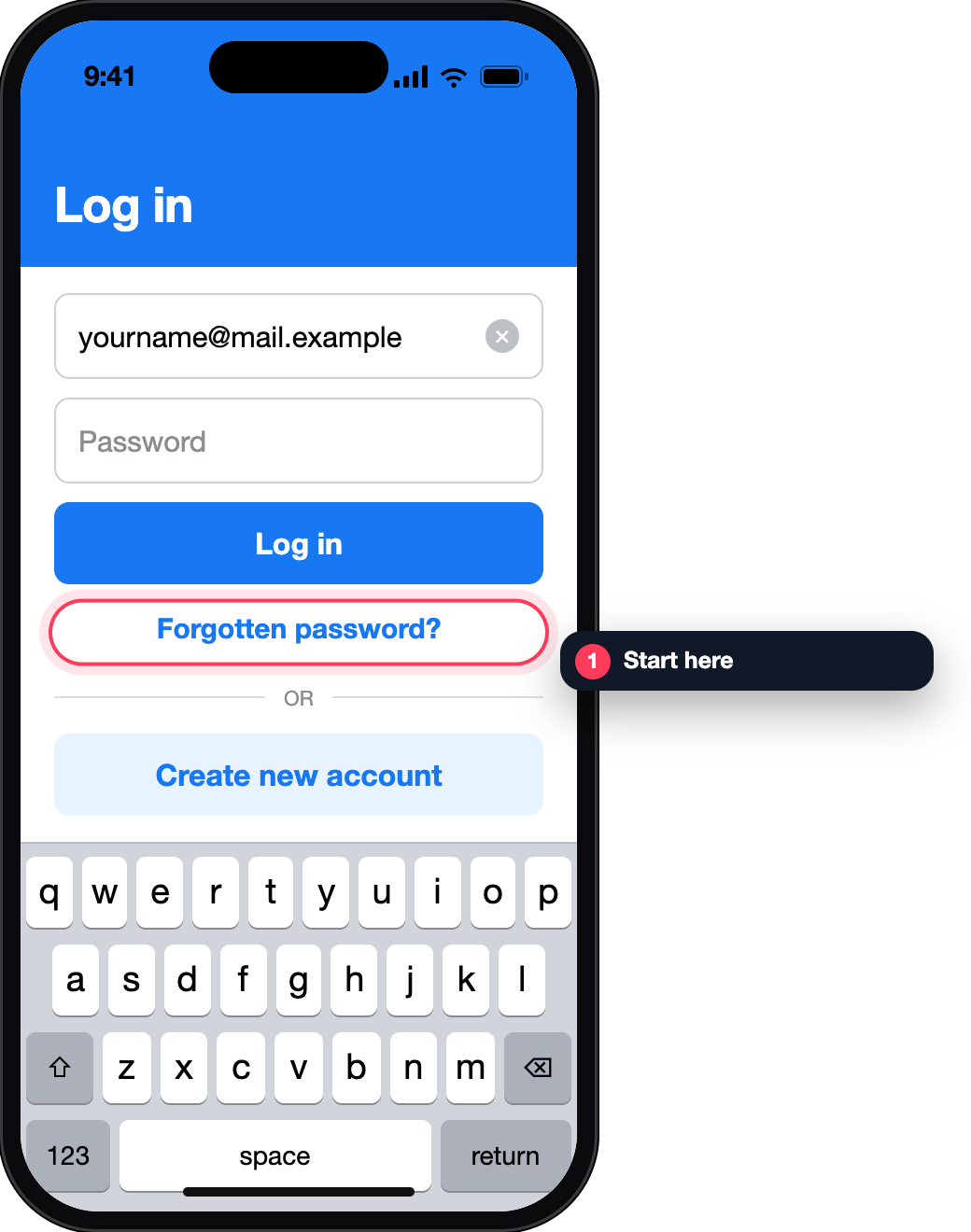
This is the route Facebook documents for people who can no longer read the email or number on the account. It is most useful on a device that has logged in before — your old phone, a work computer, a relative’s laptop.
On a device that has logged in before, type facebook.com/login/identify into your usual browser.
✓ A search box, not a login error
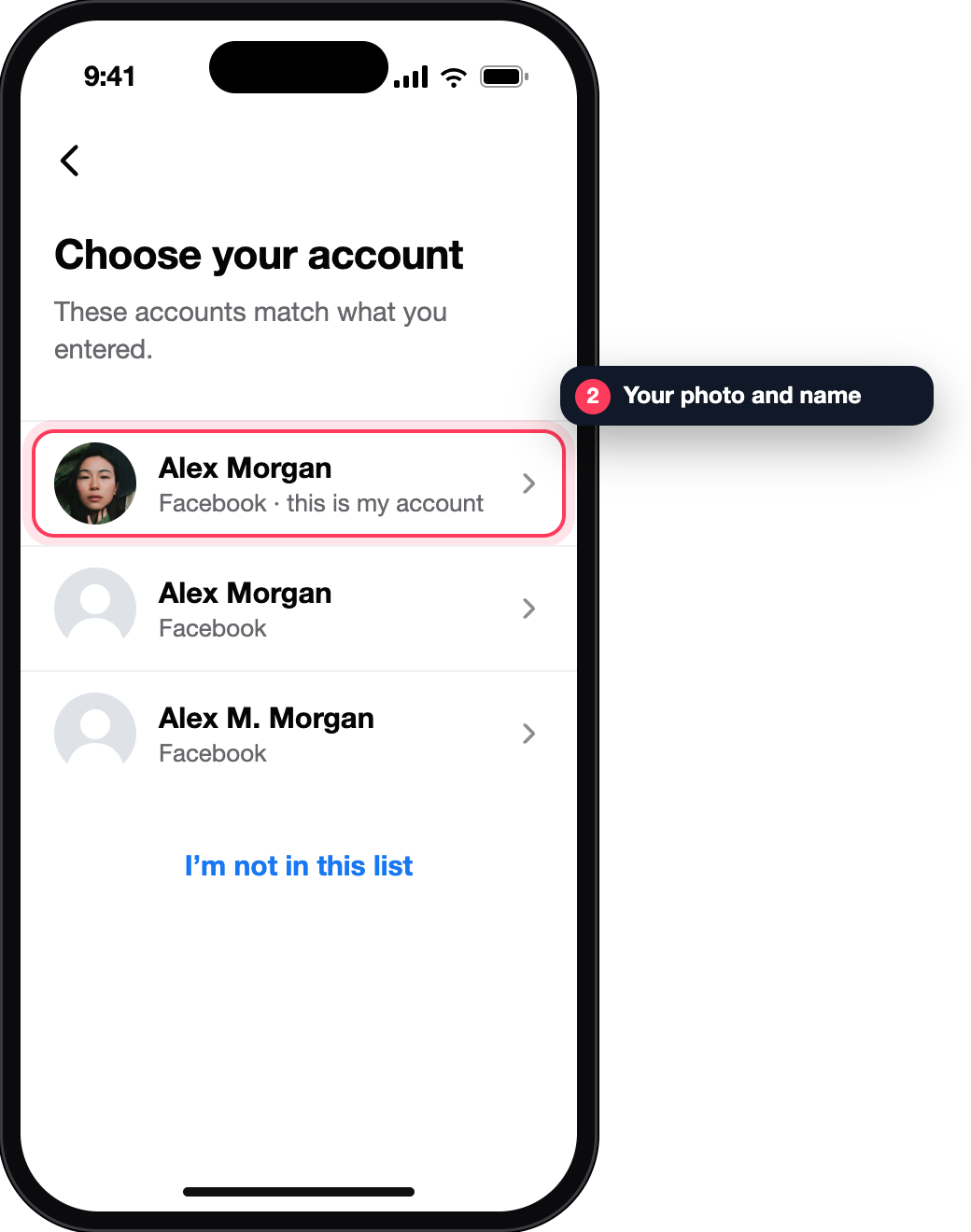
Old emails, old numbers with the country code, then your name or username — a friend can read the username in your profile URL.
✓ Your photo and name appear
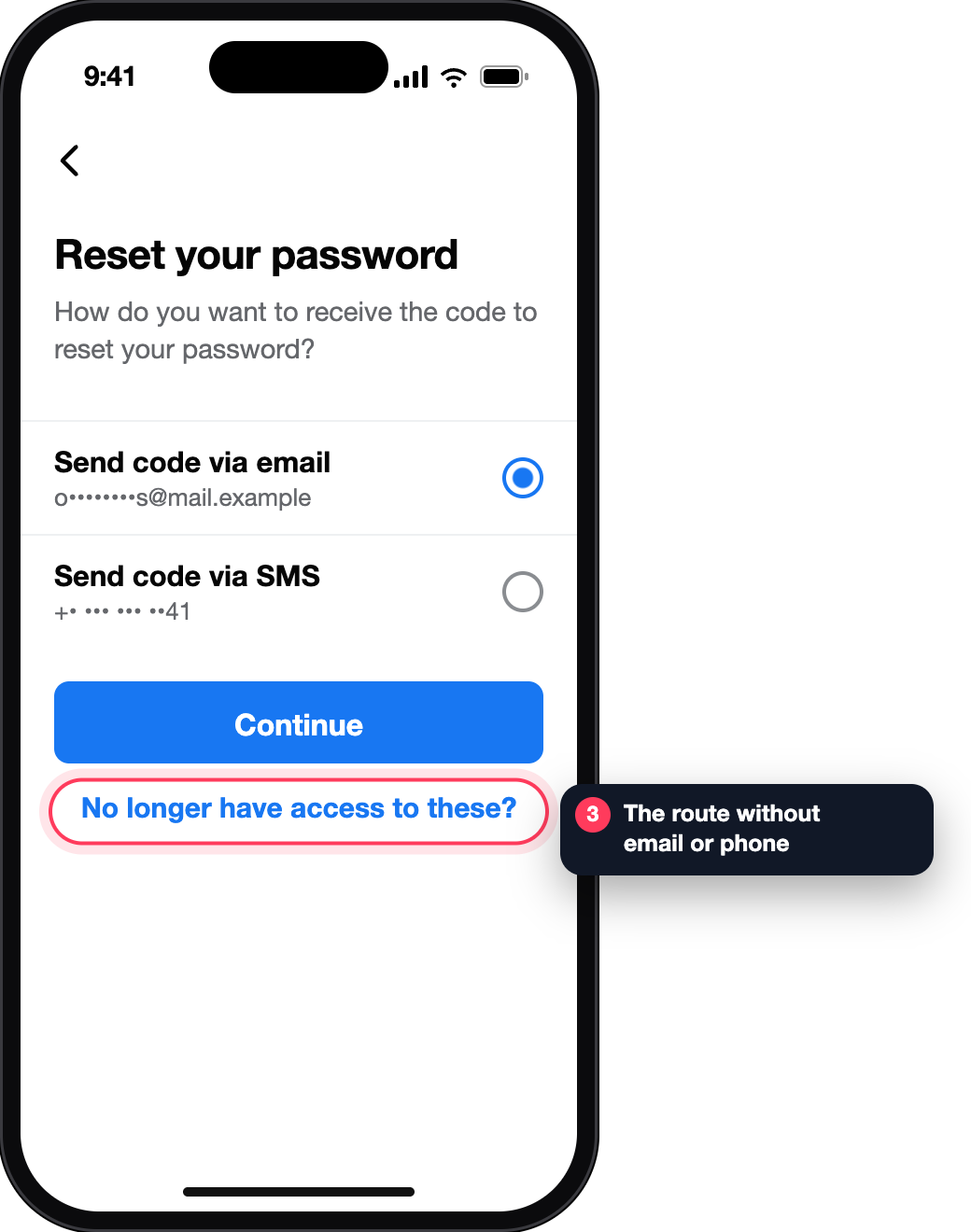
It sits under the email and phone options and may read Forgotten account? or Recover.
✓ You are asked for new contact details
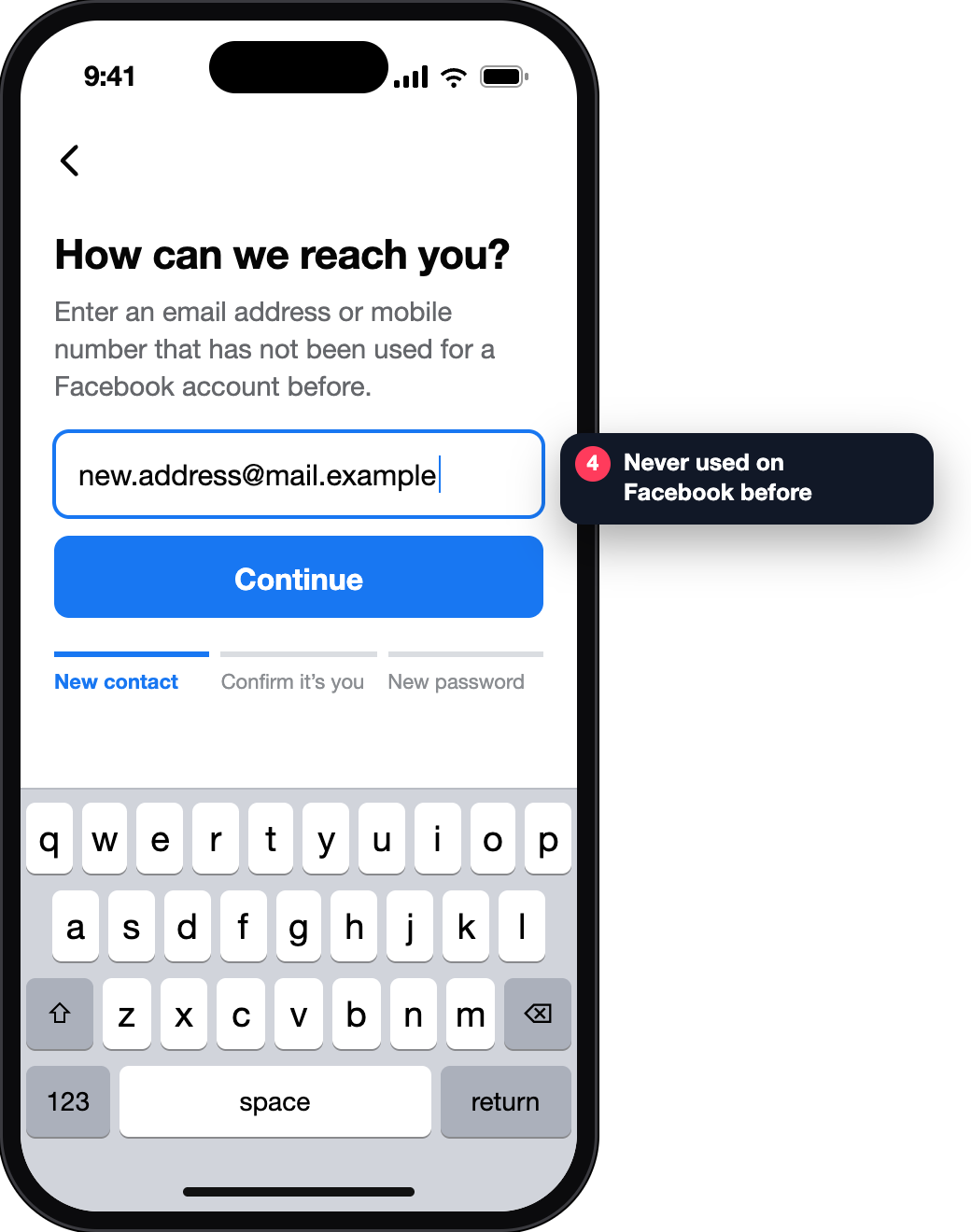
The email or number must never have been used on Facebook. Pass the checks, then set a password that is easy for you and hard to guess.
✓ Signed in — run the checklist below
If the email itself was lost, Facebook also suggests asking your email provider to restore that mailbox — once it works, the ordinary password reset does too.
| Route | You need | You get | Where it stops |
|---|---|---|---|
| Logged-in device | A phone or browser that is still signed in | New password, unknown sessions ended, chats still readable there | If you log that device out first |
| Password reset | The email or SMS on the account | Access to the account | Encrypted history on a new device still needs your PIN |
| Account finder | A familiar device and a new, never-used contact | Access after identity checks | If the account cannot be found or the checks are not passed |
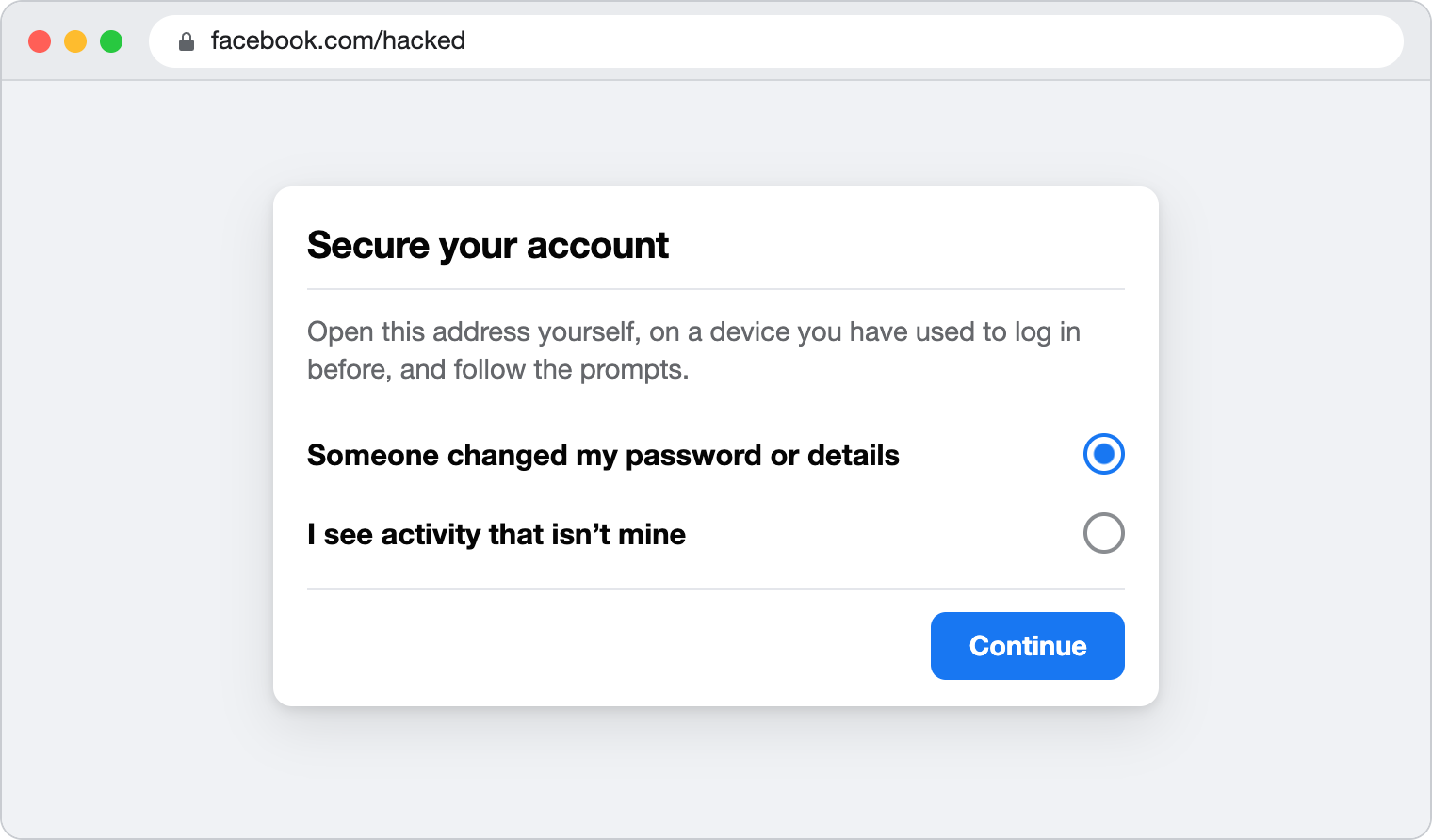
| facebook.com/hacked | A device you logged in from before | A guided route to secure a compromised account | It secures the account; it does not recreate deleted chats |
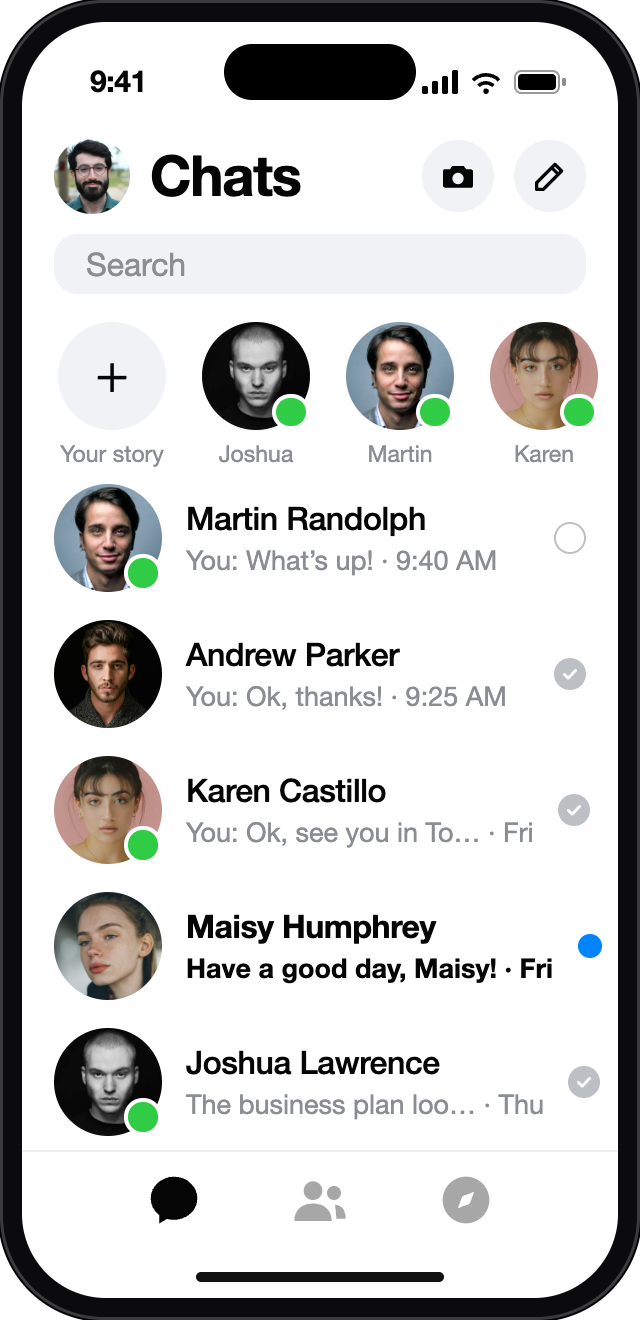
Meta’s current rule: you need a Facebook account to use Messenger. You can deactivate the Facebook profile and keep chatting — Meta calls this a Deactivated Except Messenger Account. People can still find and message you in Messenger; you are not searchable on Facebook.
So “recover Messenger without Facebook” still means recovering the Facebook login. Older Messenger-only accounts are asked to update to this kind of account to keep working.
Six checks that close the gaps recovery leaves open. Your ticks are saved in this browser only — nothing is sent anywhere.
Every route above ends inside Facebook’s own screens, on your own device. A person or site offering to “recover” or “unlock” a Messenger account for a fee has no door of their own — they can only ask you for the things that open yours.
Keep these to yourself: the login code from SMS or email, your password, your chat-history PIN. To help a friend, Meta’s advice is simply to show them the Hacked accounts section of the Help Centre.
MsgrSpy does not recover accounts either. This page tells you which official route fits your case.
Yes, that is route C: find the account at facebook.com/login/identify on a device you used before, choose “No longer have access to these?”, give a new contact that was never on a Facebook account and pass the identity checks.
End-to-end encrypted history has its own key. On a new device Messenger asks for your PIN or another recovery method you set up. A password reset does not replace that key.
Look in spam, make sure the phone has signal, wait a few minutes and request a new code. If the email or number is no longer yours, switch to route C.
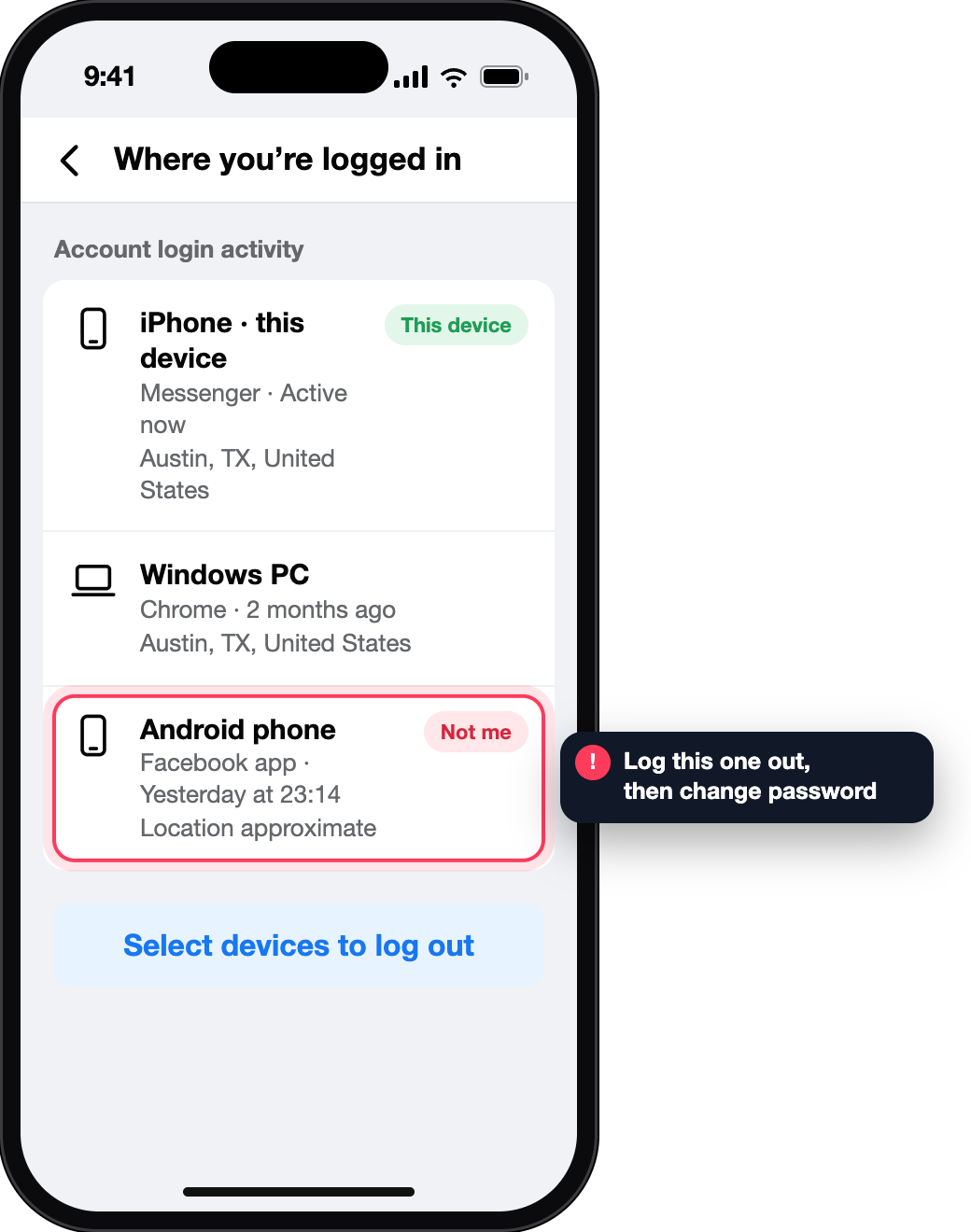
Not necessarily. Facebook explains that mobile logins are often routed through an IP address that does not match where you are, and that locations are approximate. If the entry is not one of your devices, log it out and change the password.
Yes. A deactivated profile can keep Messenger active; you sign in with the same Facebook login details.
No. Recovery checks that the person is the owner. You can sit next to them and point them to the Hacked accounts section of the Help Centre.