Karen Castillo is at Riverside ParkSaturday at 11:20 · Friends
Morning run done.
LikeCommentShare
There is no lookup that turns a Facebook profile into a point on a map. A location shows up on Facebook or Messenger in four different forms — each put there by the account’s owner, or belonging to your own account. Pick the one you saw.
The person started it themselves. It follows their phone, only the people in that chat can see it, and it turns off automatically after one hour.
The sender dragged a pin or searched for an address and sent it. It can be anywhere: a café for tonight, an office, another country.
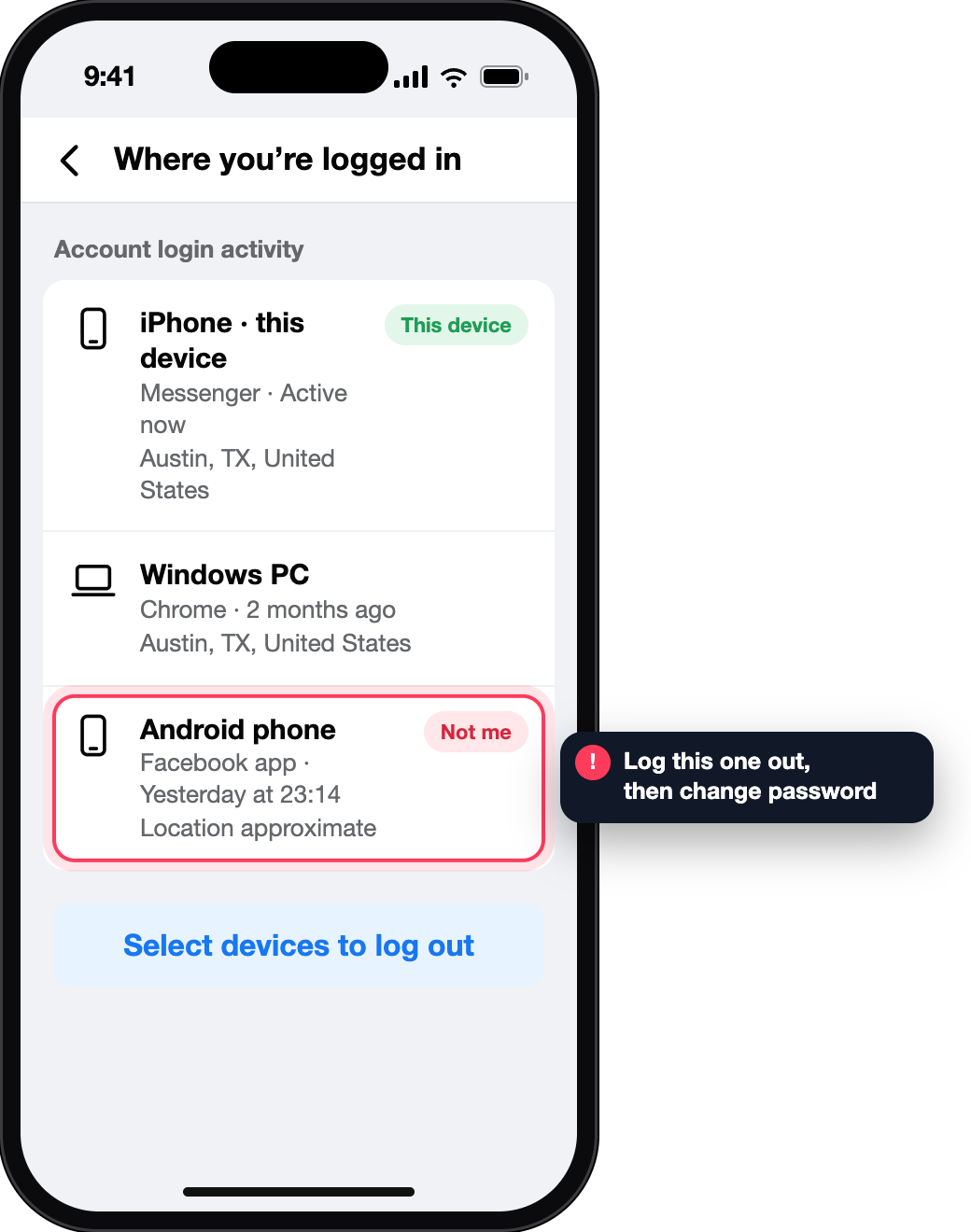
This is the “Where you’re logged in” list of your own account. The city comes from an IP address and is often the mobile network’s, not yours.
Facebook lets people add a place to what they post. It is chosen by hand and shows where the author says the post belongs.

Shared for 60 minutes. You can stop at any time.
Visible to people in this chat · 41 min left
Morning run done.
Screens reconstructed for explanation · fictional data · not affiliated with Meta
They differ in where the coordinate comes from — and that decides how much it can tell you.
| Kind | Where it comes from | How exact | How long | Who sees it |
|---|---|---|---|---|
| Live location | The sender’s phone, after they tap Start sharing | Device location | Up to one hour | People in that chat |
| Pinned location | A pin dragged on the map or an address searched by the sender | Exact place, unrelated to the sender’s position | Stays as a message | People in that chat |
| Login location | The IP address of a session of your own account | Approximate; mobile networks often show another city | While the session exists | The account owner |
| Check-in | A place the author attaches to a post | The named place, chosen by hand | As long as the post | The post’s audience |
None of the four is searchable by profile link, name or phone number. Three are published by the person themselves; the fourth is about your own account.
The steps below are Meta’s own, as published for the Android app; the same article has a tab for iPhone. The feature is not available on computers.
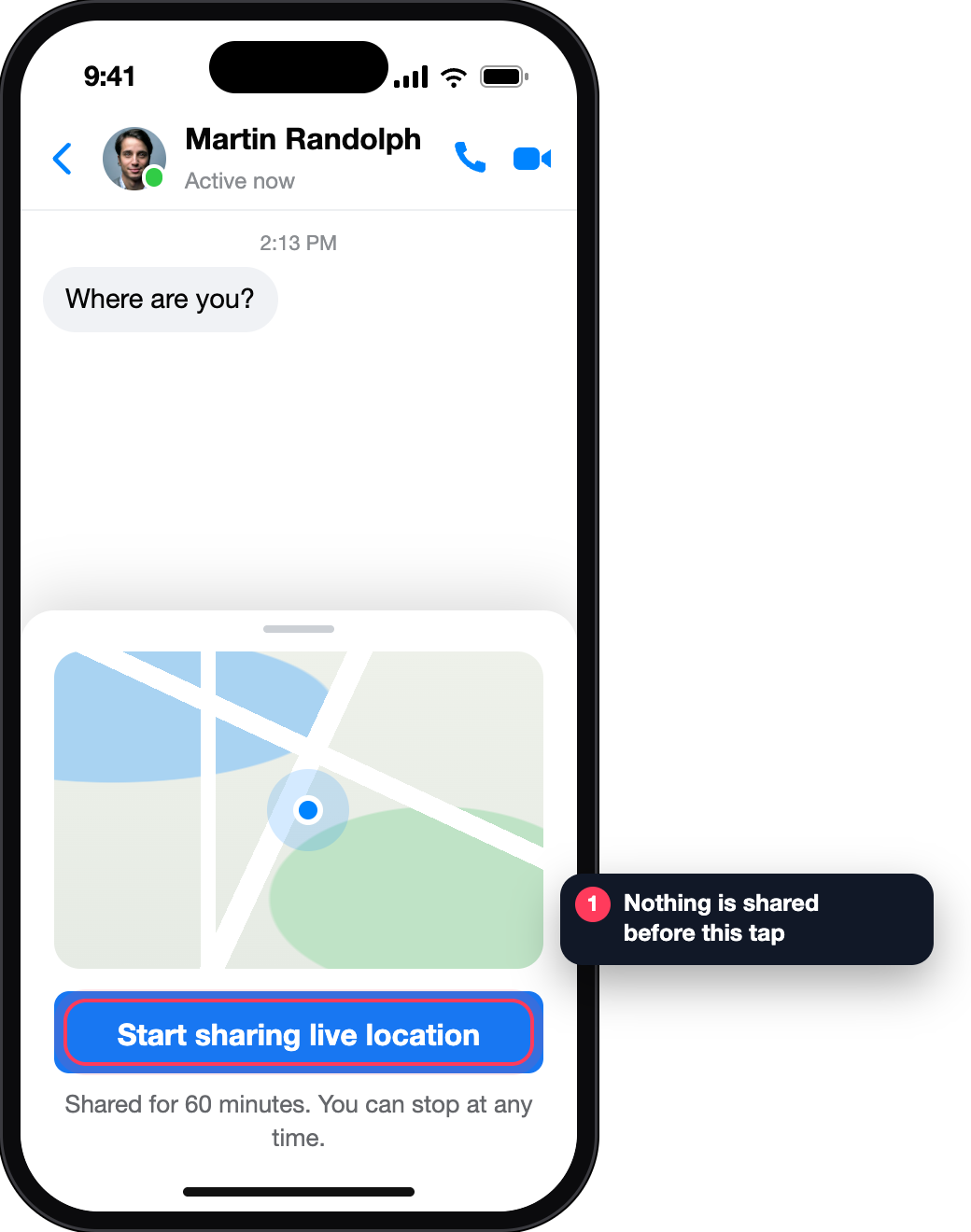
In the chat: Options, then Start sharing live location. Nothing is shared before this tap.
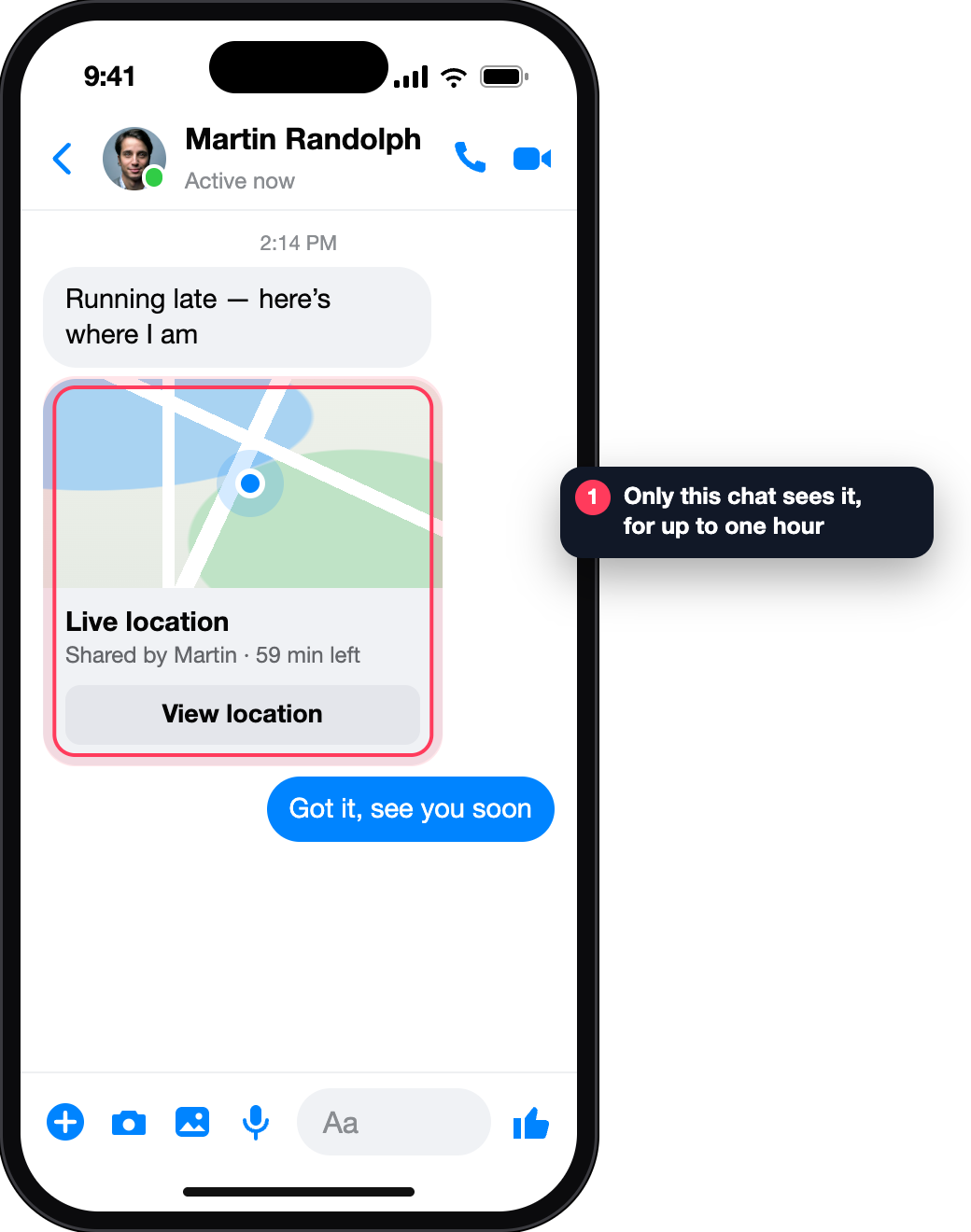
Only people in that chat see it. Meta says it uses limited information, like location and IP address, to display it.
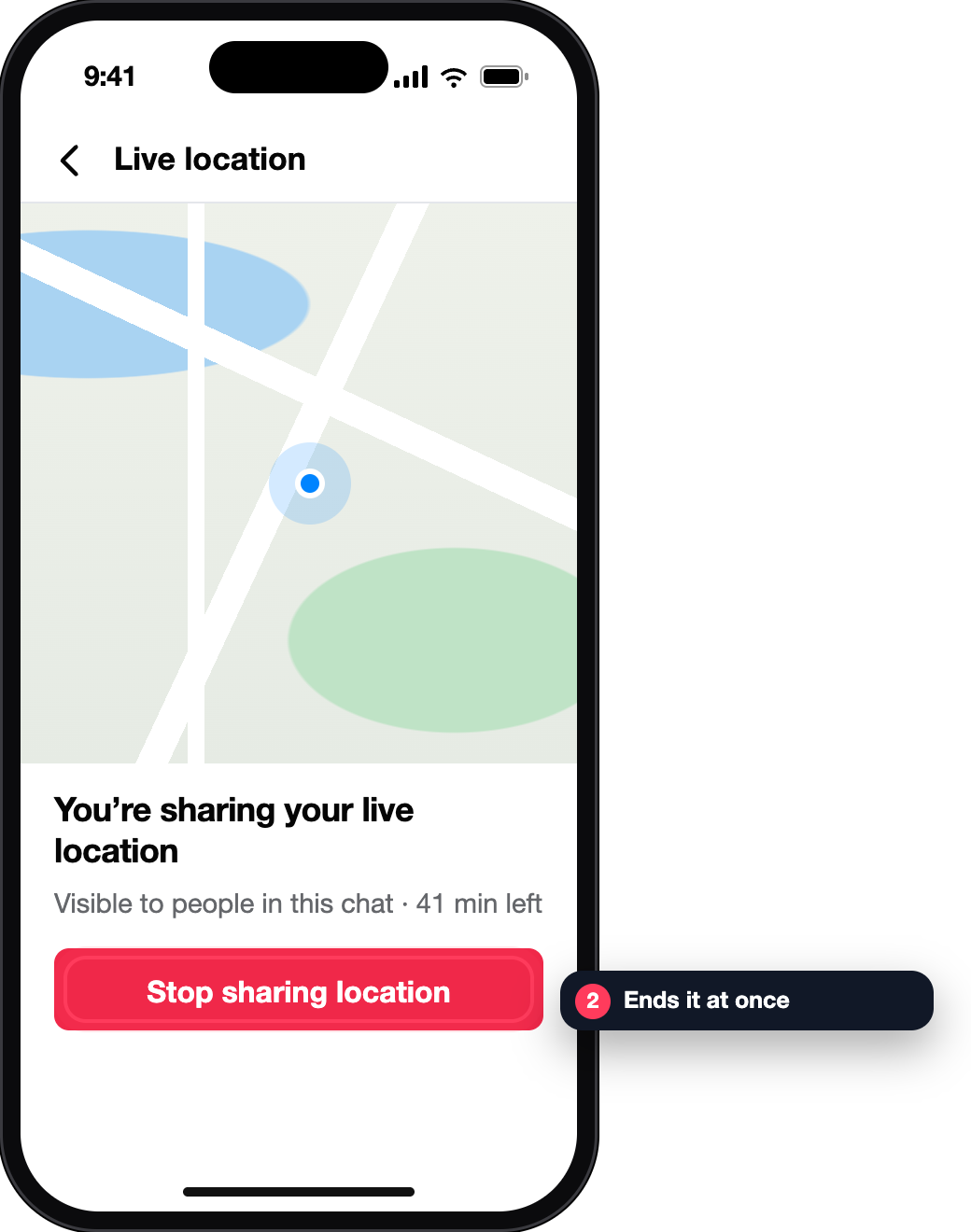
Open the message, tap View location, then Stop sharing location.
✓ The chat keeps the message, not a live point
Both arrive as a map card. Switch between them to see what differs.
The card says “live”, shows time remaining and has a stop control for the sender. When the hour ends, so does the point.
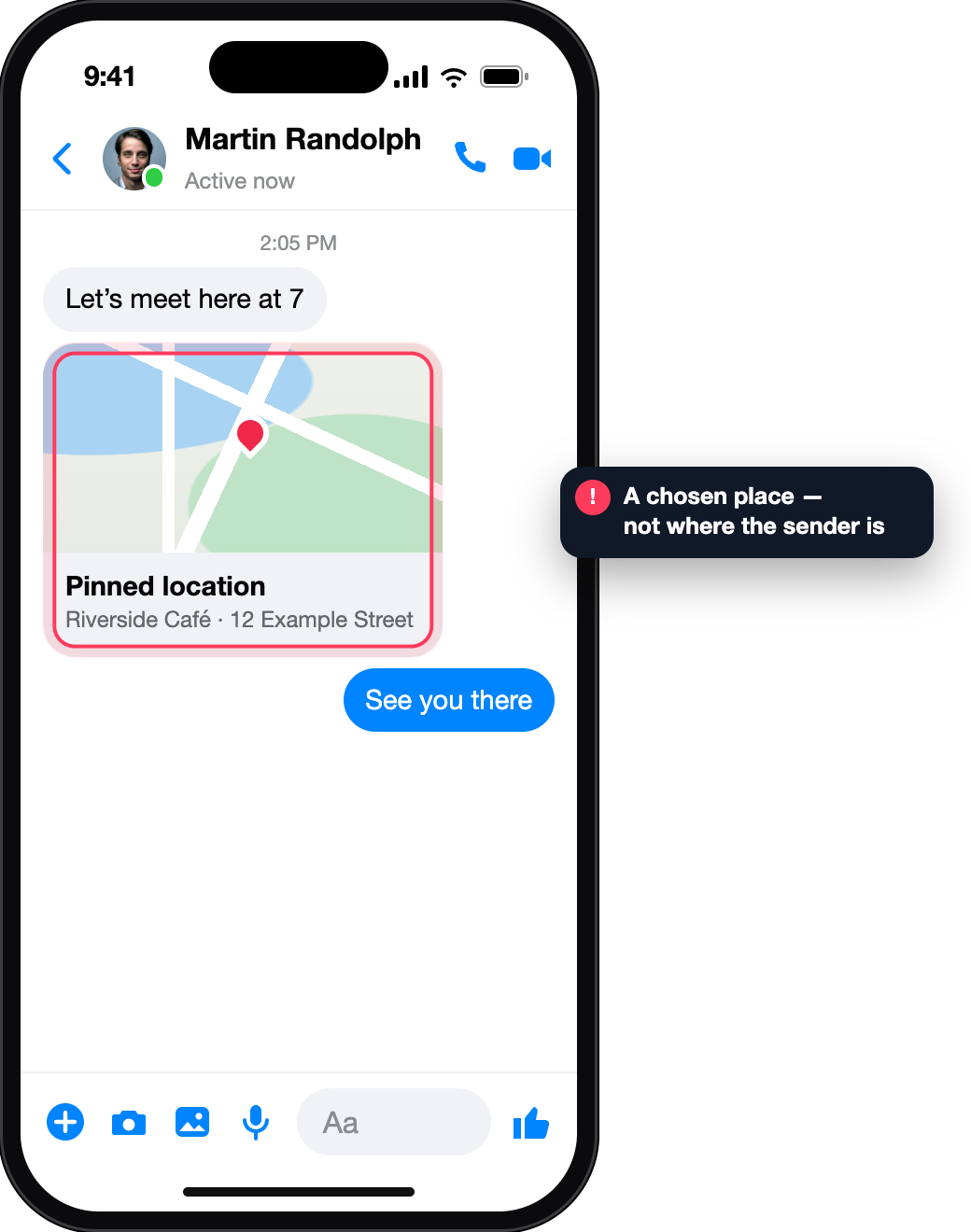
The sender pinned a nearby spot or searched for an address and sent it. Messenger allows this only when location sharing is enabled on their device — but the pin itself can be anywhere.
This list is about your account. Each entry has a date, time, device type and a location. Facebook gives three ordinary reasons for a place you do not recognise:
Four checks in your own apps and phone settings. Ticks are saved in this browser only.
Only when they send it to you: a live location they start in your chat, a pinned place, or a check-in on a post you can see. There is no search by profile, name or number.
No. Live location starts with a tap on the sender’s phone and is shown in the chat as their own message.
Meta’s Help Centre says it uses limited information, such as your location and IP address, to display a location you share in Messenger. The login list in your security settings shows only an approximate location for each session.
Facebook explains that mobile sign-ins are often routed through an IP address that does not reflect where you are, and that the location shown can be only approximate.
No. A pin is any place the sender picked on the map or searched for.
One hour at most. It turns off automatically, and the sender can stop it earlier.